主题
空间适配-FittedBox
FittedBox
dart
const FittedBox({
  Key? key,
  this.fit = BoxFit.contain, // 适配方式
  this.alignment = Alignment.center, // 对齐方式
  this.clipBehavior = Clip.none, // 是否剪裁
  Widget? child,
})规则
- FittedBox 在布局子组件时会忽略其父组件传递的约束,可以允许子组件无限大,即FittedBox 传递给子组件的约束为(0<=width<=double.infinity, 0<= height <=double.infinity)
- 但 FittedBox 自身还是要遵守其父组件传递的约束,并且不管子组件是否溢出 FittedBox,FittedBox 的布局还是正常的
例子
dart
Container(
  constraints: BoxConstraints.expand(width: 50, height: 50),
  color: Colors.red,
  child: FittedBox(
    fit: BoxFit.none,
    child: Container(width: 60, height: 70, color: Colors.blue),
  ),
)
最终是一个 60 * 70 的蓝色矩形,FittedBox 还是在那个位置,但因为其允许子级无限大,则子组件溢出了 FittedBox,覆盖了红色。
可以修改 fit,进行裁剪
单行缩放布局
定义一个可服用行,可根据传入字符串的多少,来控制宽度
dart
MyRow(String text) => Row(
  mainAxisAlignment: MainAxisAlignment.spaceEvenly,
  children: [Text(text), Text(text), Text(text)],
);使用
dart
Column(
  children: [
    MyRow(' hahahahahahahahahahaha '),
    FittedBox(child: MyRow(' hahahahahahahahahahaha ')),
    MyRow(' xixi '),
    FittedBox(child: MyRow(' xixi '))
  ],
)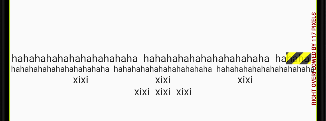
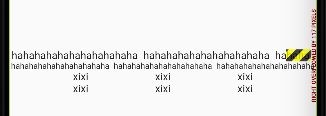
- 三个 hahahahahahahahahahaha 的长度加起来已经超出了测试设备的屏幕宽度,所以报溢出警告
- 加上 FittedBox 后,就可以按比例缩放至一行显示,但文字的缩小
- 三个 xixi 放在一行,因为 Row 指定主轴对齐方式为 spaceEvenly,则在约束的 maxWidth 不是无限大是,Row 的子组件会分配剩余空间
- 加上 FittedBox 后,FittedBox 传给 Row 的约束的 maxWidth 为无限大,因此 Row 的最终宽度就是子组件的宽度之和
解决方案
使用 LayoutBuilder 封装一个 SingleLineFittedBox
dart
class SingleLineFittedBox extends StatelessWidget {
 const SingleLineFittedBox({Key? key,this.child}) : super(key: key);
 final Widget? child;

  @override
  Widget build(BuildContext context) {
    return LayoutBuilder(
      builder: (_, constraints) {
        return FittedBox(
          child: ConstrainedBox(
            constraints: constraints.copyWith(
              //让 maxWidth 使用屏幕宽度
              maxWidth: constraints.maxWidth
            ),
            child: child,
          ),
        );
      },
    );
  }
}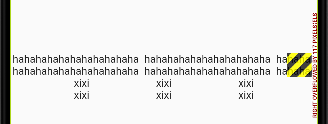
可以看到 SingleLineFittedBox 包裹的 xixi 满足预期了
但是 SingleLineFittedBox 包裹的 hahahahahahahahahahaha 溢出了,这是因为 SingleLineFittedBox 传给 Row 的 maxWidth 为屏幕宽度,和不加 FittedBox 效果是一样的,所以还要稍加修改
dart
class SingleLineFittedBox extends StatelessWidget {
 const SingleLineFittedBox({Key? key,this.child}) : super(key: key);
 final Widget? child;

  @override
  Widget build(BuildContext context) {
    return LayoutBuilder(
      builder: (_, constraints) {
        return FittedBox(
          child: ConstrainedBox(
            constraints: constraints.copyWith(
              minWidth: constraints.maxWidth,
              maxWidth: double.infinity
            ),
            child: child,
          ),
        );
      },
    );
  }
}将最小宽度(minWidth)约束指定为屏幕宽度
因为Row必须得遵守父组件的约束,所以 Row 的宽度至少等于屏幕宽度,所以就不会出现缩在一起的情况;同时我们将 maxWidth 指定为无限大,则就可以处理数字总长度超出屏幕宽度的情况