
主题
Leetcode
网站
中国版:有 cn
全球版:无 cn
ide插件
vscode
在插件搜索 leetcode 并安装
点击左侧图标进入 leetcode,并点击网络图标选择中国版,最后登录

下载 Debug Leetcode 可进行 Debug
idea
- 在
Plugin中搜索leetcode,安装leetcode editor插件 - 重启 idea
- 在右下角有 leecode,点击打开后,点击设置
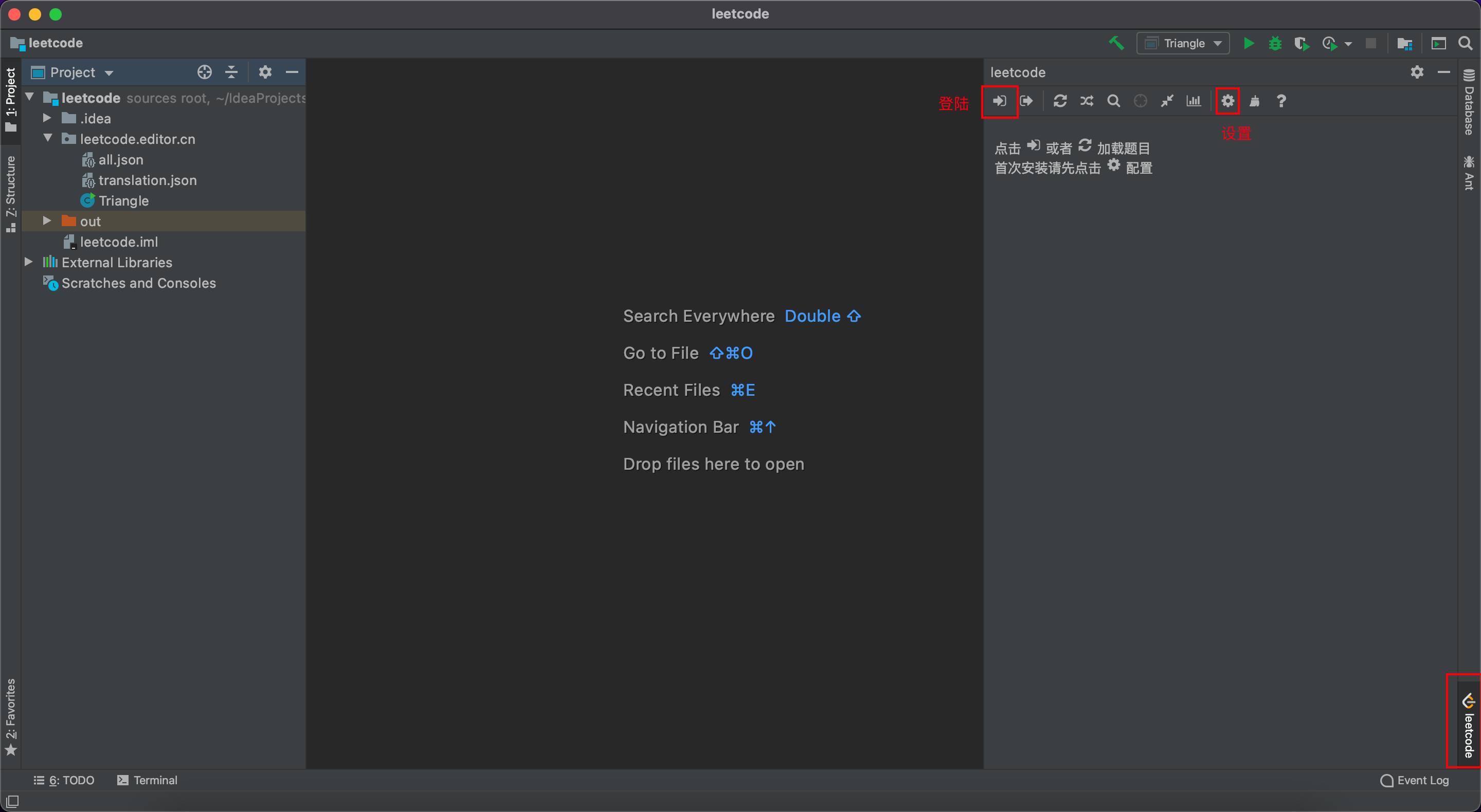
- 进行以下设置
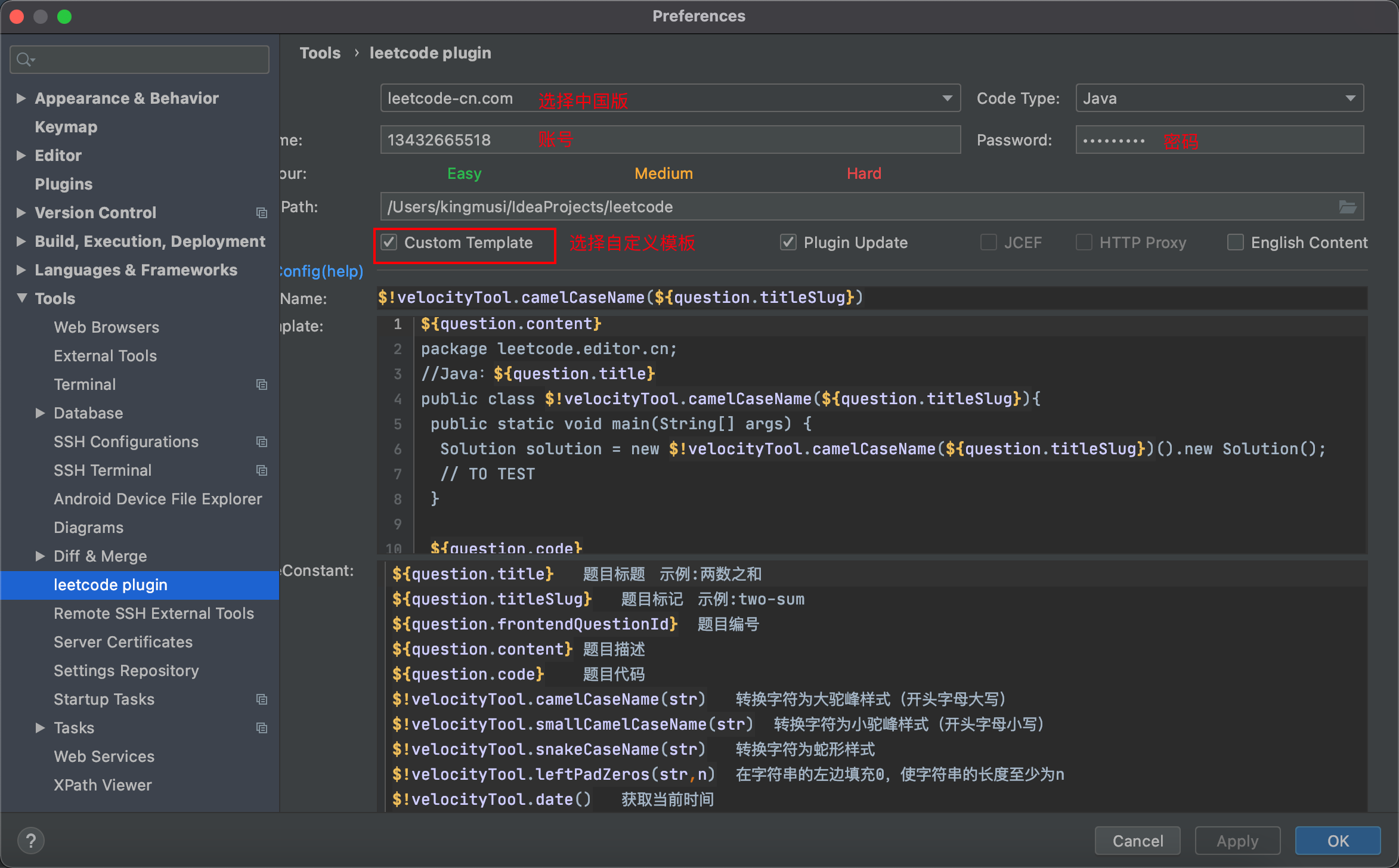
$!velocityTool.camelCaseName(${question.titleSlug})java
${question.content}
package leetcode.editor.cn;
//Java:${question.title}
public class $!velocityTool.camelCaseName(${question.titleSlug}){
 public static void main(String[] args) {
  Solution solution = new $!velocityTool.camelCaseName(${question.titleSlug})().new Solution();
  // TO TEST
 }

 ${question.code}
}然后 idea 打开新的项目,项目地址为你设置中保存 leetcode-idea 的位置
即可选择题目,进行代码编写
- 右键可进行代码提交
- 在
Main中可以进行 Bebug
刷题法
第一遍
- 5分钟:读题 + 思考
- 会则写
- 不会则直接看解法,要看多解法,并比较解法的优劣
- 背诵、默写好的解法
第二遍
- 自己写,并在 leetcode 上通过
第三遍
- 一天后,重复做此题
第四遍
- 一周后,重复做此题
第五遍
- 面试前恢复性训练(把以前做过的题再做一遍)